
Basic Recipe User Manual
Overview
The Basic Recipe module provides users with a centralized platform for managing baking recipes. Users can add, edit, delete, and view recipe information to ensure accurate and efficient recipe management.
Features
1. Basic Recipe Management
Feature Description
- View recipe information: including recipe name, material list, total weight, cost, and update time
- Add recipe information: support creating new recipe records
- Edit recipe information: support modifying existing recipes
- Delete recipe information: support removing unnecessary recipes
- Real-time updates: changes are displayed immediately
Operation Guide
View Recipe List
- Enter the Basic Recipe page to view all recipe information
- Information is displayed in a table format, including recipe name, total weight, cost, and other fields
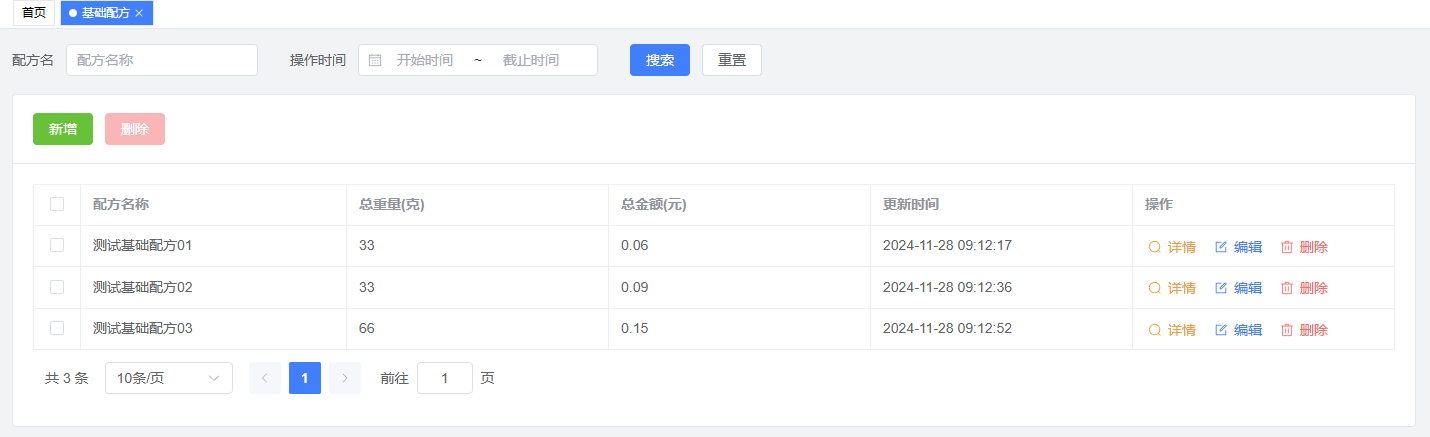
Add New Recipe
- Click the "Add" button
- In the pop-up window, fill in:
- Recipe name
- Select materials and quantities
- Add notes (optional)
- Click "Save" to complete
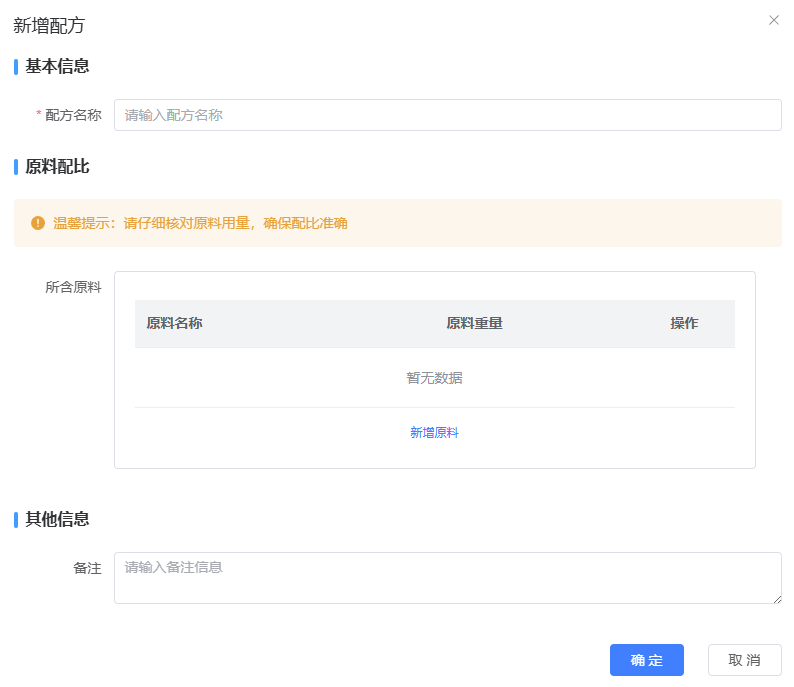
Edit Recipe
- Click the "Edit" button in the corresponding recipe row
- Modify information in the pop-up window
- Click "Save" to complete
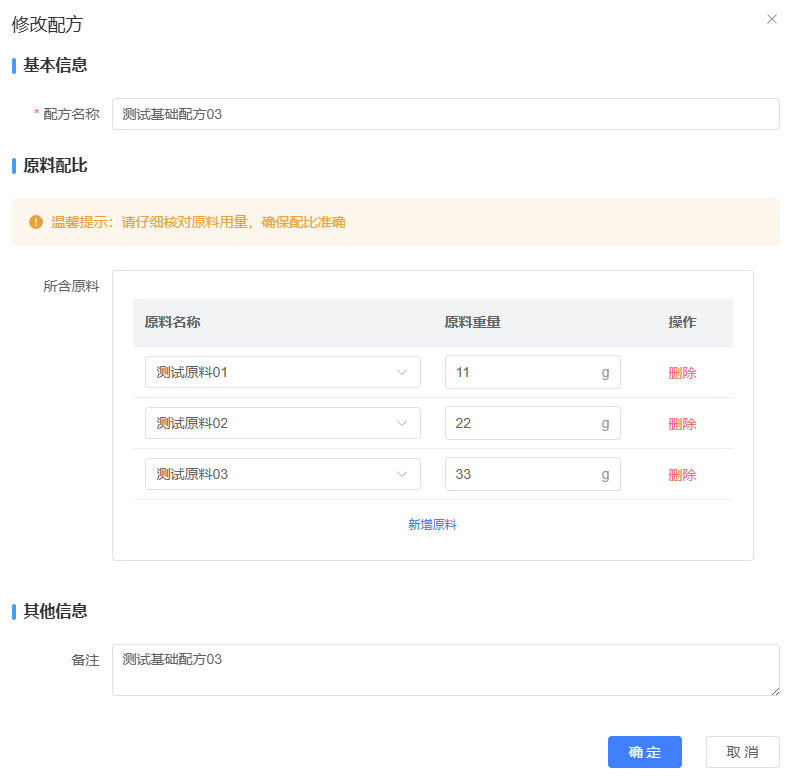
Delete Recipe
- Click the "Delete" button in the corresponding recipe row
- Click "Confirm" in the confirmation dialog
Operation Tips
- Recipe name is required
- At least one material must be added
- All modifications can be previewed before saving
- Deletion operations cannot be undone, please proceed with caution
2. Recipe Details
Feature Description
- View detailed recipe information
- Display material list and quantities
- Show cost breakdown
- Real-time calculation of total weight and cost
Operation Guide
- View Details
- Click the "View Details" button in the recipe row
- System displays detailed recipe information, including:
- Basic recipe information
- Material list and quantities
- Cost breakdown
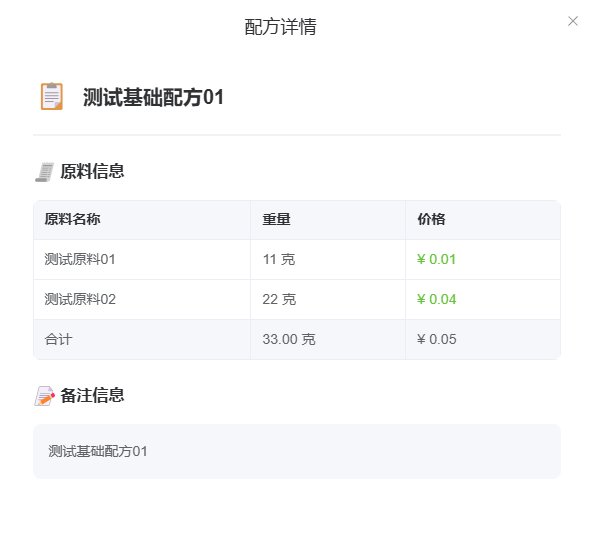
Notes
- Ensure material information is complete for accurate calculations
- Costs will update automatically when material prices change
Common Issues
Q1: Why can't I add a recipe?
A1: Please check:
- All required fields are filled
- At least one material is added
- Network connection is stable
Q2: How to copy an existing recipe?
A2: Currently, recipe copying is not supported. You need to create a new recipe manually.
Q3: Why are some materials not showing up?
A3: This might be due to:
- Insufficient viewing permissions
- Materials have been deleted or archived
- Search filter is active