
Production Usage User Manual
Overview
The Production Usage module provides users with a centralized platform for managing production usage information. Users can add, edit, delete, and view production usage information to ensure the accuracy and completeness of production data.
Features
1. Production Usage Management
Feature Description
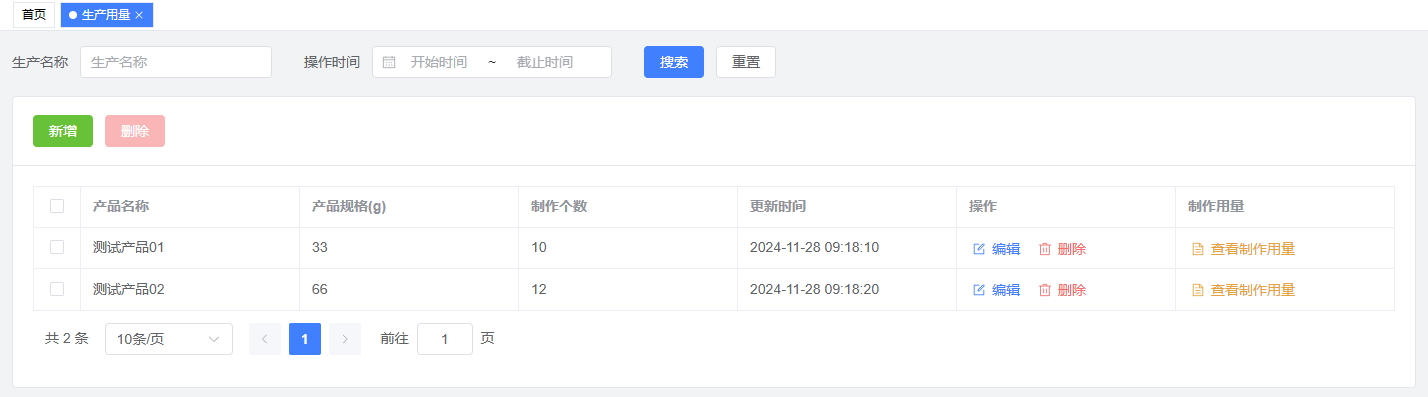
- View production usage list: including product name, specifications, production quantity, update time, and operations
- Add production usage: support creating new production records
- Edit production usage: support modifying existing records
- Delete production usage: support removing unnecessary records
- Real-time updates: changes are displayed immediately
Operation Guide
View Production Usage List
- Enter the Production Usage page to view all production records
- Information is displayed in a table format, including product name, specifications, production quantity, etc.
Add Production Usage
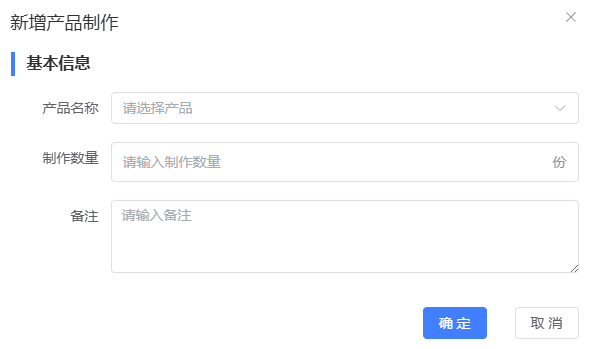
- Click the "Add" button
- In the pop-up window, fill in:
- Product name
- Product specifications
- Production quantity
- Notes (optional)
- Click "Save" to complete
Edit Production Usage
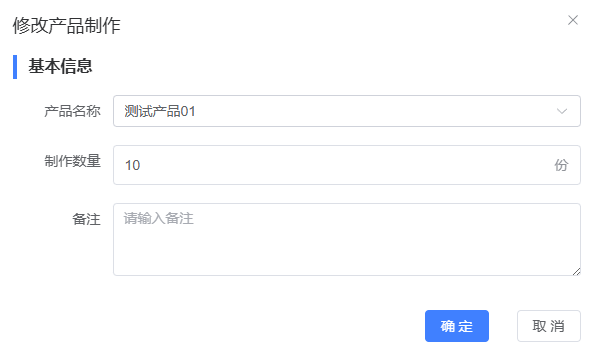
- Click the "Edit" button in the corresponding record row
- Modify information in the pop-up window
- Click "Save" to complete
Delete Production Usage
- Click the "Delete" button in the corresponding record row
- Click "Confirm" in the confirmation dialog
Operation Tips
- Product name and specifications are required fields
- Production quantity must be a positive integer
- All modifications can be previewed before saving
- Deletion operations cannot be undone, please proceed with caution
2. Production Usage Details
Feature Description
- View detailed production usage information
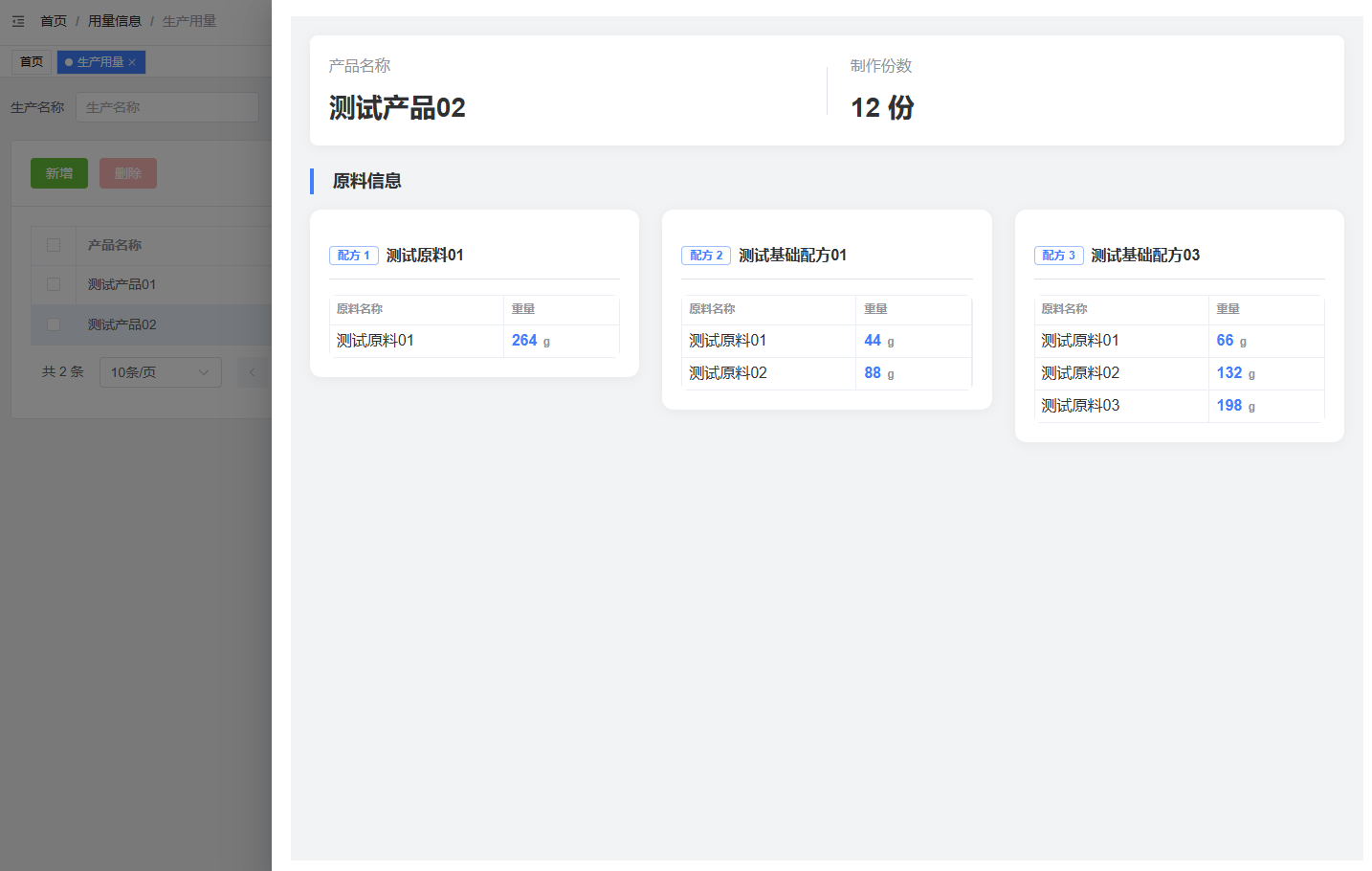
- Display material list and usage details
- Support real-time weight calculation
Operation Guide
- View Details
- Click the "View Details" button in the record row
- System displays detailed production information, including:
- Basic product information
- Material list and usage
- Weight information
Notes
- Ensure selected product recipe information is complete for accurate calculations
- Regularly check and update production usage information
- If system errors occur, refresh the page or contact administrator
Common Issues
Q1: Why can't I add production usage?
A1: Please check:
- All required fields are filled
- Production quantity is a positive integer
- Network connection is stable
Q2: How to modify multiple records at once?
A2: Currently, batch modification is not supported. You need to modify records one by one.
Q3: Why can't I see some products?
A3: This might be due to:
- Insufficient viewing permissions
- Products have been deleted or archived
- Product name input error